How it works
Make a change
Each build and change is saved as its own version.
Look back
See your versions in the studio, newest first.
Undo, redo or restore
Pick a version and the site is published again as it was.
A version for every change
Each time Briks builds your site, makes a change you asked for, or rechecks it, the result is saved as a numbered version. The studio lists them newest first, each with where it came from, when it was made and a short summary of what changed, and the one your visitors see is marked Live.
Because nothing is overwritten, you can try ideas freely. Ask for a bolder home page, look at it on the live site, and go back if it is not right. The versions before it are untouched.
Versions are for your published site. Records in your database are kept apart, with their own history and, on a paid plan when you switch them on, nightly copies.
Undo, redo and restore
Undo takes the site back to the version before the live one, and redo moves forward again. Restore, shown in the list as Make live, publishes any version, however old.
Going back queues a republish of the version you chose, so it takes a moment. Anyone in your workspace with edit rights can do it: Owners, Admins and Editors.
Versions are locked while an A/B test is running, because the test is comparing two of them. End the test by keeping one version, and undo and restore open again.
Using versions well
Treat versions as a safety net. Before a big change, such as a new home page for a season, note the number of the live version. When the season ends, restoring it is one click.
Versions also set up testing. Any saved version can be tested against the live one, with your visitors split between them, so a change you are unsure about can earn its place with real visits instead of opinions.
A picture swapped with Replace in your project's media can be undone the same way, from Versions in the studio.
Versions when you work in a team
In a team, versions answer the question of what changed, and when. Each one shows where it came from, how long ago it was made and a short summary, so a surprise on the live site can be traced in moments.
Because anyone with edit rights can undo, agree a simple habit: whoever asks for a change checks it on the live site, and anyone who finds a change that breaks something undoes it first and talks about it after.
Viewers can see the site and its previews but cannot undo or restore, so a client following the work cannot change it by accident.
Versions and undo in practice
Three example businesses, and how each would use it. Where a site is pictured, it is a sample Briks built for an example business, not a customer.
- 01Jewellery studio
A seasonal home page, then back
A jeweller asks for a gift guide on the home page in November. In January she opens Versions, finds the version from before the guide and chooses Make live. The site is published again as it was in October, and the gift guide version stays in the list for next year.

Marrowstone is a sample site Briks built for an example jewellery studio, not a customer. Open the sample - 02Brand studio
An editor's change, undone the next morning
A junior designer with the Editor role asks for a darker header on the studio's own site. The founder prefers the old one and presses Undo the next morning. Both have edit rights, and both versions stay in the list.
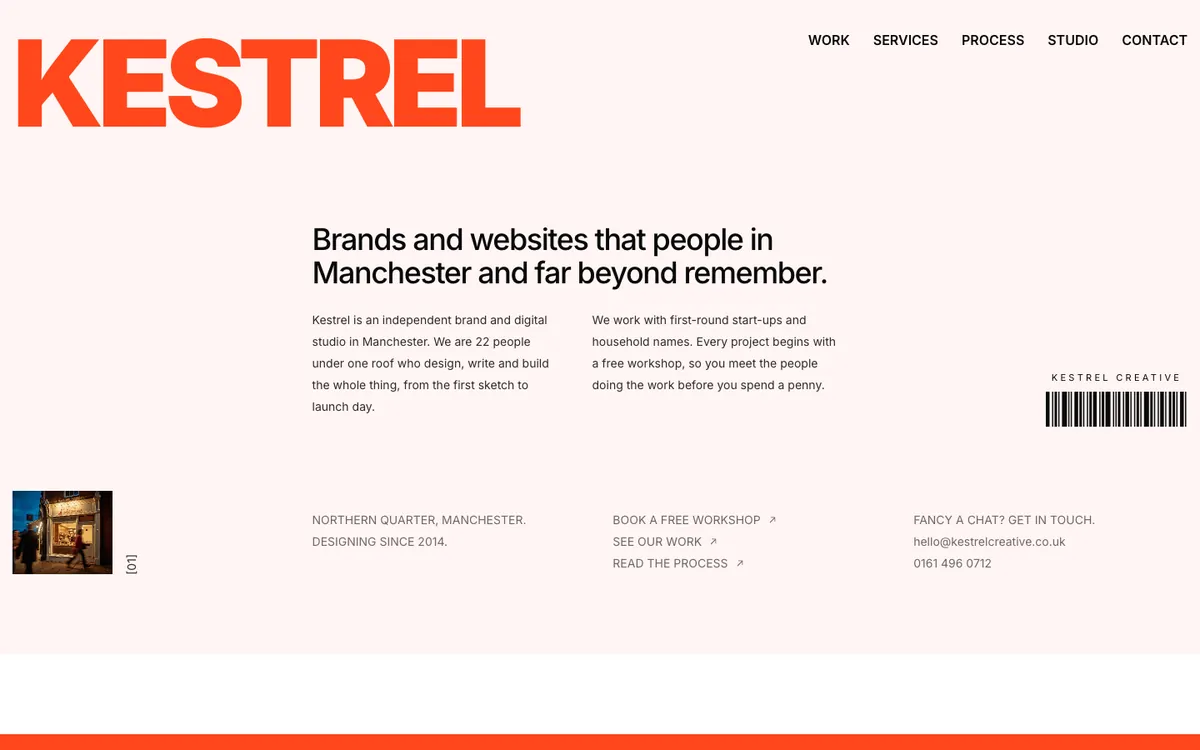
Kestrel Creative is a sample site Briks built for an example brand and digital studio, not a customer. Open the sample - 03Saree store
Ending a test before a restore
A saree store wants to restore an older home page that led with wedding sarees. Versions are locked because a test is running, so the owner first ends the test by keeping one version, then restores the older one.

Saree Shop is a sample site Briks built for an example saree store, not a customer. Open the sample
What you get
- A version for every build, change and recheck
- Undo, redo and restore any version
- Anyone with edit rights can use them
Good to know
- Going back queues a republish, so it takes a moment.
- Versions are locked while an A/B test is running.