How it works
In the code
Before publishing, Briks checks the colours of words against the grounds they sit on.
On the live page
After the first publish, it looks at the page at desktop and phone width.
A repair if needed
Where words are hard to read, it repairs them once.
What is checked on every build
Low contrast is one of the most common accessibility faults on the web: pale grey on white, white on a light photograph, a brand colour on a close shade of itself. Briks checks colour contrast in the site's code before anything publishes, measuring each colour your words are set in against the ground they actually sit on.
The bar is the one the accessibility guidelines set, WCAG AA: 4.5 to 1 for body text, and 3 to 1 for large text, meaning 24 pixels and up, or about 19 pixels in bold. Where a colour falls short, words on that ground are set in a colour that reads.
After the first publish, Briks looks at the live page at desktop and phone width and checks contrast again, because some problems only show in a browser, such as words over a picture. If something is hard to read, it repairs it once. It also checks that every page you chose is in the menu.
Extra checks for apps, and at launch
Apps get a second read of their code before they publish, aimed at the mistakes that hurt most: secret keys written into files, writes to the database with no limit, a members' table anyone could read, and database queries built by joining strings together.
When you take a site to production, the launch check runs first. It stops the launch for things that would embarrass a business on its first day: placeholder text left in, facts the draft made up that you have not replaced or confirmed, pages with no title and description of their own for search results, links between your pages that lead nowhere, and a missing page for addresses that do not exist.
It reads up to twelve pages and tries up to eighty links. It runs no AI model, so it holds no credits.
The fuller check, and what is not checked
A fuller check is one switch away in the new-project steps, and off by default. Once the first version is published, Briks looks at it at four screen sizes and repairs what renders broken, such as parts that overlap or a layout that falls apart at one width. It takes a few minutes more and some credits; a check holds 5 credits while it runs. You can ask for the same check with any later change.
To be plain about the limits: overlap, picture and link checks are not run on every build. A normal first build gets the contrast checks, the menu check and, for apps, the read of the code. Links are checked by the launch check, or by the fuller check when you switch it on.
None of this replaces your own eyes. Open the preview on your phone before you publish to production, and ask for anything that feels off in plain words.
Checks before publishing in practice
Three example businesses, and how each would use it. Where a site is pictured, it is a sample Briks built for an example business, not a customer.
- 01Candle maker
Pale words over a soft photograph
A candle maker wants her headline over a misty seaside photograph. At phone width, part of the headline sits over the brightest patch of sky. This is the kind of fault the live check exists for: it looks at the published page at desktop and phone, and repairs words that are hard to read.
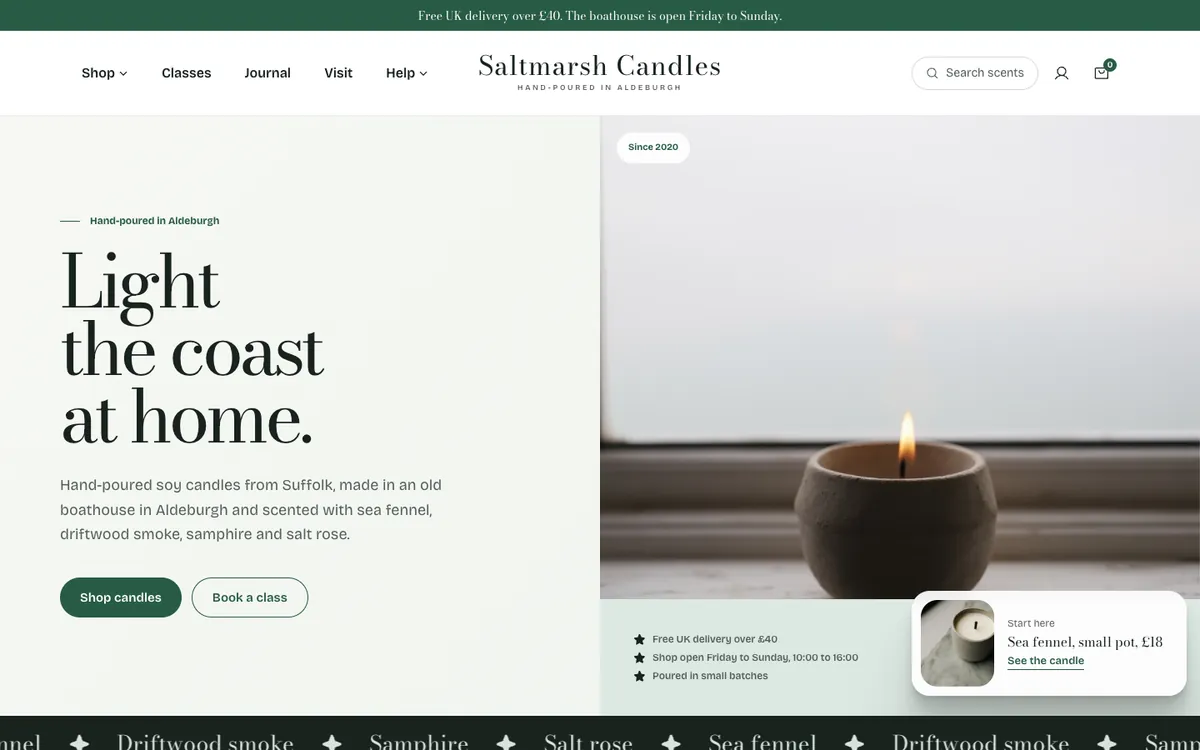
Saltmarsh Candles is a sample site Briks built for an example candle maker, not a customer. Open the sample - 02Law firm
A light gold brand colour on white
A law firm's brand colour is a light gold. As the colour of words on white, it falls well short of 4.5 to 1. Before publishing, the check in the code finds it and sets words on that ground in a colour that reads, so the firm's pages stay legible from the first publish.
- 03Building firm
A crew's job app, read before it publishes
A building firm asks for a small app where its crew logs jobs. Before it publishes, its code is read for keys written into files and writes with no limit. When the firm takes it to production, the launch check also finds a link to a Projects page that was never made, and stops the launch until it is fixed.
What you get
- Contrast checked in the code before publishing, to WCAG AA
- Checked again on the live page at desktop and phone, with one repair
- Every chosen page is in the menu before it publishes
- Apps are read for keys written into files, writes with no limit and unsafe queries
Good to know
- A fuller check at four widths is one switch away in the new-project steps.
- Publish to production runs a launch check, including links that go nowhere.