AI agents are helpers that look after a Briks site once it is live, on every paid plan. Each agent has a job, a schedule and a monthly budget, and asks you before it emails anyone, changes your site or posts to your social accounts.
Leads has prepared something and is waiting for your yes.
3 of 5 clean approvals of this kind
Try it: this demo works right here on the page.
AI agents that keep your business running after launch
Each agent has a job, a schedule and a monthly budget, and asks you before it emails anyone, changes your site or publishes a post. You decide in the studio, by email or on Telegram. Times follow your workspace's time zone.
Team lead
Mondays at 08:00
Plans the crew's week from your goals, hands out the work, and sends you one stand-up.
Read your goal: more weekend pre-orders
Planned five tasks for SEO, Articles and Social
Wrote you this week's stand-up
Approve this week's plan
Asks you first: the week's plan
Support
When your chat passes one on
Answers the questions your site's chat passes on, by email from your site's address.
Maya asked whether you deliver on Sundays
Your delivery page says Saturdays only, 8am to 1pm
Drafted a reply from that page
Reply to Maya about Sunday delivery
Asks you first: every reply
Leads
Each new entry, and weekdays at 17:00
Replies to what visitors send through your forms, and sends you a digest.
New entry: a wedding cake for 80 guests in June
Drafted a reply with your cake prices and a tasting slot
Digest: six entries today, two need you
Reply to Tom about the wedding cake
Asks you first: every reply
Site keeper
Mondays at 08:00
Keeps your site's facts current: hours, prices, seasonal text and broken links.
December is close and your hours still say summer
One link on the Visit page goes nowhere
Proposed winter hours and the fixed link
Update the hours and fix one link
Asks you first: every change
Site watch
When something changes
Wakes when your site stops answering or comes back, when a certificate is within 14 days of expiring, or when a scheduled job or webhook fails, and proposes repairs.
Your site stopped answering at 03:12
It was answering again at 03:14
Wrote you what happened; no repair needed
All clear
Asks you first: any repair
Security
Mondays at 07:00, and after each publish
Checks your code and keys after every publish, and the whole site with its live pages every week. Tells you plainly what it found, and has the builder fix only what you approve.
Checked the code and keys after today's publish
One page shows any order to whoever asks for its number
Explained it and drafted a fix
Let each order open only for its customer
Asks you first: every fix, always
SEO
Wednesdays at 09:00
Gets you found and chosen in search: titles, descriptions, headings, picture text, links between pages and speed.
Read six pages and what people search for near you
Three titles run long, four pictures have no text
Proposed seven fixes, each with the reason
Apply seven search fixes
Asks you first: every change
AI search
Tuesdays at 09:00
Gets your business named when people ask AI assistants: checks AI crawlers can read your site, asks Claude and ChatGPT what buyers ask, and proposes changes.
14 AI crawlers can read every page
Asked ten questions buyers really ask
Named in 3 answers; proposed a clearer prices page
Answer buyers' questions on the prices page
Asks you first: every change
Articles
Every day at 09:00
Writes a search-friendly post every day, or on the days you choose, in your voice and from your facts.
Researched what people ask about keeping sourdough
Wrote “How to keep sourdough fresh for a week”
Linked it to your bread page
Publish today's post
Asks you first: publishing
Designer and coder
Thursdays at 10:00
Looks at every page on phone, tablet and desktop, finds what a visitor would notice, and has the builder fix it in your design.
Looked at six pages at three widths
On phones, the menu button sits tight to the logo
Wrote one precise fix for the builder
Give the phone menu more room
Asks you first: every change
Social
Thursdays at 10:00
Writes next week's posts for your X and LinkedIn accounts from what your business already has, in your voice.
Read this week's article and your new offer
Wrote a thread for X and a post for LinkedIn
Eight posts for next week, each with your photo
Schedule next week's eight posts
Asks you first: every post
Marketing
The 25th, and Mondays at 09:00
Plans next month on the 25th, turns your offers and events into campaigns, and reports what brought visits and enquiries.
Next month: the spring menu and a tasting evening
Drafted posts for each and a page for the tasting
Last month, LinkedIn brought the most enquiries
Approve next month's plan
Asks you first: every plan
Reporter
Mondays at 08:00
A one-page week every Monday: results, what each agent did, and what needs you.
Visits up 18% on last week
Agents sent 9 replies and published 2 changes
One approval waits for you
All clear
Asks you first: nothing, it only reads
A finding in plain words, fixed when you say so
Security tells you what it found, what it means for you and what it would change. Its fixes always wait for your approval, and each one is published as a new version you can undo.
SecuritySampleHigh
Anyone can read every order by changing the number in the address
What it means
Your order page opens any order for whoever types its number, with the customer's name and address on it.
The fix
Each order opens only for the signed-in customer who placed it.
Your own agent, from one sentence
Describe a job and the studio drafts the agent: its name, job, permissions and schedule. You set its budget and edit everything before it runs.
One inbox for everything they ask
3 waiting for you.
Reply to Maya about Sunday deliverySupport
Update the December opening hoursSite keeper
Publish “Five breads to bake at home”Articles
Kept on a short lead
Each agent sees only your workspace.
Changes to your site are built like any change, as a version you can undo.
A monthly budget: when it is reached, the agent stops until the 1st.
Three failed runs in a row and it pauses itself. Failed runs are not charged.
How it works
01
Pick your agents
Team lead, Site keeper, Support, Leads, Site watch, SEO, Designer and coder, Reporter, Articles, Social, Marketing, AI search and Security, or describe one of your own.
02
They do the work
Each runs on its own schedule, or when something happens on your site.
03
You approve
Emails, site changes and posts wait for your yes, in the studio, by email or on Telegram.
13 agents, each with a job
Each agent has one job and its own schedule, and works on your site between your visits to the studio. Support wakes when your site's chat passes a question on. Leads runs on weekdays at 17:00 and on each new form entry. Site keeper runs on Mondays at 08:00. Site watch wakes when your site goes down or comes back, when a certificate is within 14 days of expiring, or when a job or a webhook fails.
SEO runs on Wednesdays at 09:00, AI search on Tuesdays at 09:00, Articles daily at 09:00, Designer and coder on Thursdays at 10:00, and Reporter on Mondays at 08:00. Times follow your workspace's time zone, UTC unless you set another, shifted by up to 10 minutes, and every agent also wakes when you write to it.
Social writes next week's posts every Thursday at 10:00 for the accounts you connect in the project's Marketing tab. Marketing plans next month on the 25th and runs this week's part of the plan every Monday at 09:00. Today both work with X and LinkedIn profiles, and more platforms follow as they approve Briks.
Security checks your site's code after every publish, and the whole site, live, on Mondays at 07:00. It explains each finding in plain words, and every fix it asks for waits for your approval, always.
The Team lead plans the crew's week every Monday at 08:00 from your goals, hands each task to the teammate who can do it, and sends you one stand-up. Reporter takes no outward actions at all. The others prepare work for you to approve.
Found when people ask AI assistants
More people now ask an AI assistant which business to choose. The AI search agent works to get yours named and quoted there. Every Tuesday it checks that 14 AI crawlers can reach your pages and read them, along with your sitemap, your llms.txt file and the structured data that says who you are and what you offer.
Once your site is in production, it asks assistants the questions your buyers really ask, never with your name in them, and keeps the same questions from month to month so the change is real. It asks Claude and ChatGPT. It also reads the visits that AI assistants sent to your site.
Then it asks you for at most two changes at a time, the ones most likely to get you quoted, such as a page that answers a buyer's question in its first lines. It never promises a place in any assistant's answers, and never hides text that only crawlers would see.
Nothing goes out without your yes
Agents ask before they act outward. Sending an email, editing your site and publishing a post all wait for your approval. Support and Leads ask before they email; Site keeper, SEO and Designer and coder ask before changes; Site watch asks before a repair; Articles asks before publishing, before updating an older article, and before adding a blog to your site; the Team lead asks before it hands out the week's plan.
You decide in the studio, by email, or on Telegram once you connect it.
Trust can grow. After five clean approvals of one kind, an agent offers to do that kind on its own, and you decide whether to let it. Security fixes are the exception: they wait for your approval every time.
Each agent sees only its own workspace, enforced in the database itself, so an agent working on one client's site can never read another's.
Budgets, failures and agents of your own
Each agent has a monthly budget in credits: 20 by default, 30 for SEO, 30 for the Team lead, 40 for Designer and coder, 60 for AI search, Social and Marketing, and 90 for Articles. When it is reached, the agent stops until the 1st of the month. Three failed runs in a row pause it, and failed runs are not charged.
You can also describe an agent of your own in a sentence. The draft gives it a name, a job, its tools, the events it listens for and a schedule, with a budget you set, 20 credits by default, and you check and change all of it before hiring.
Agents come with every paid plan: Starter includes 3 agents per project, Pro 5, Studio 10 and Agency 15. Their runs are paid from your workspace's credits, within each agent's budget.
Who agents are for
Agents are for the work that piles up after launch: answering the questions your chat passed on, replying to enquiries, keeping pages current, writing articles and social posts, getting found in search and by AI assistants, and keeping an eye on the site while you sleep.
They are designed for owners who would rather approve than do. Each agent prepares the work, and you say yes, ask for a change, or say no.
Reputation is next
The Reputation agent will answer every Google review and ask every recent customer for one. It arrives once Google has approved Briks's access to Business Profile.
Like the agents above, it will ask you before anything goes out, in batches you can approve all at once, in part, or with changes in plain words.
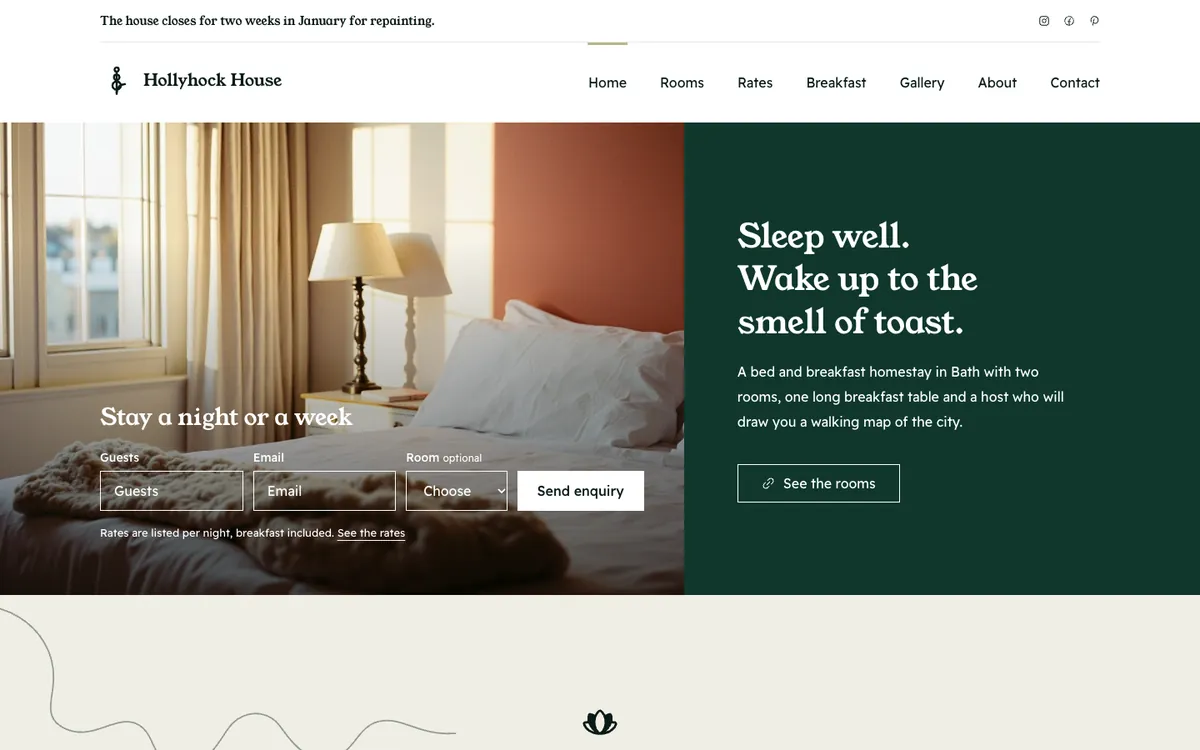
Three example businesses, and how each would use it. Where a site is pictured, it is a sample Briks built for an example business, not a customer.
01Bed and breakfast
A guest's question at midnight
A B&B's chat passes a question about late check-in to Support, which drafts an email reply. The reply waits until the owner approves it in the morning, and nothing is sent before then.
Leads runs on weekdays at 17:00 and on each new form entry. For a building firm, that would mean a drafted reply to each quote request, waiting for approval before any email goes out.
Articles runs daily at 09:00 and asks before publishing anything, before updating one of its older articles, and before adding a blog to a site that has none. Its budget of 90 credits a month caps what it can spend.
Emails, site changes and posts wait for your approval
Security fixes wait for your approval every time
A monthly budget each; at the limit it stops until the 1st
Three failed runs in a row and it pauses itself; failed runs are not charged
Good to know
Agents need a paid plan: Starter includes 3 agents per project, Pro 5, Studio 10 and Agency 15. Free does not include agents.
Questions about AI agents
Which plans include agents?
Every paid plan. Starter includes 3 agents per project, Pro 5, Studio 10 and Agency 15. Free does not include agents.
Will agents act without asking?
No. Emails, site changes and posts wait for your approval. After five clean approvals of one kind, an agent offers to do that kind on its own, and you choose.
What do agents cost?
Their runs are paid from your workspace's credits. Each has a monthly credit budget, 20 by default. When it is reached, the agent stops until the 1st.
Can an agent see another client's site?
No. Each agent sees only its own workspace, and that is enforced in the database itself.
Which agents are there?
Team lead, Site keeper, Support, Leads, Site watch, SEO, Designer and coder, Reporter, Articles, Social, Marketing, AI search and Security. Reputation is next.
Who keeps the agents working together?
The Team lead. Each Monday it plans the week from your goals, asks you to approve the plan, hands each task to the teammate who can do it, and sends you one stand-up.
Which social accounts can Social and Marketing post to?
X and LinkedIn profiles today, connected in the project's Marketing tab. More platforms follow as each one approves Briks.
Can the AI search agent get my business into ChatGPT's answers?
It does the work that makes it likelier: a site AI crawlers can read, clear answers to buyers' questions, and facts stated plainly. No one can promise a place in an assistant's answers, and it never does.
What if an agent keeps failing?
Three failed runs in a row pause it, and failed runs are not charged.