How it works
Read before every publish
The code written for your site is checked for the mistakes that most often leak data.
Keys kept out of sight
A key pasted into a message is cut out, and its value lives only in your site's Secrets.
Every version kept
Undo any change, and on a paid plan keep a copy of your records every night.
Your site's code is read before every publish
Before a site publishes, Briks reads the code written for it for the mistakes that most often leak data, and sends what it finds back to the builder to fix.
The read looks for keys and passwords written into files, routes that change data with no limit on how often, members' records read without checking who is asking, database queries built by joining strings, HTML set from raw text, and calls to other addresses.
These checks are Briks's own rules, read from the files the same way every time, with no AI model and no credits. Colour contrast is checked too, in the code and on the live page.
On a paid plan, the Security agent goes further: it checks the code after every publish and the live site every week, explains each finding in plain words, and asks you before any fix.
Keys stay out of messages and pages
Paste a key into a request by mistake and it is cut out before the message is kept or read by any AI model. The reply says the key was removed, and where it belongs instead: Settings → Secrets.
When a change needs a key, the studio asks for it with a field that saves straight to Secrets. The value is kept only with your published site, where your site's code reads it behind its routes. Visitors' browsers never receive it, the code you download leaves it out, and once saved it is never shown again to anyone, you included.
Each site runs apart
Every site is published on its own: its own server code, its own database for the records it keeps, and its own file storage, made in the EU by default. A site's keys are bound to that site alone.
Agents follow the same rule. Each sees only its own workspace, enforced in the database itself, so an agent working on one client's site can never read another's.
Visitors counted without cookies
Analytics on every site sets no cookies, keeps nothing on the visitor's device and stores no address, and figures are kept for 25 months. It is designed to need no consent banner in most countries, and you can switch it off for any site.
Other things on a site may still need a notice, such as an A/B test, which keeps each visitor in their version with a cookie, or anything embedded from another service.
Every version kept, and your records too
Every build, change and recheck is saved as a version. Anyone with edit rights can undo, redo or restore one, and the site is published again as it was.
Your database keeps its own history, so Owners and Admins can take it back to any minute within it, or to a restore point you named. On a paid plan, nightly copies keep a full copy of your records for 30 days, and you can download your records at any time.
Safe by default in practice
Three example businesses, and how each would use it. Where a site is pictured, it is a sample Briks built for an example business, not a customer.
- 01Yoga studio
A key pasted into the chat
A yoga studio's owner pastes her booking service's key into the studio chat with her request. The key is cut out before the message is kept, the reply asks her to add it in Settings → Secrets, and the change carries on once it is there.
- 02Bakery
A Friday change, undone on Saturday
A bakery's new menu section crowds the page on phones. On Saturday morning the owner restores the version from before it, and the site is published again as it was while she asks for a better layout.
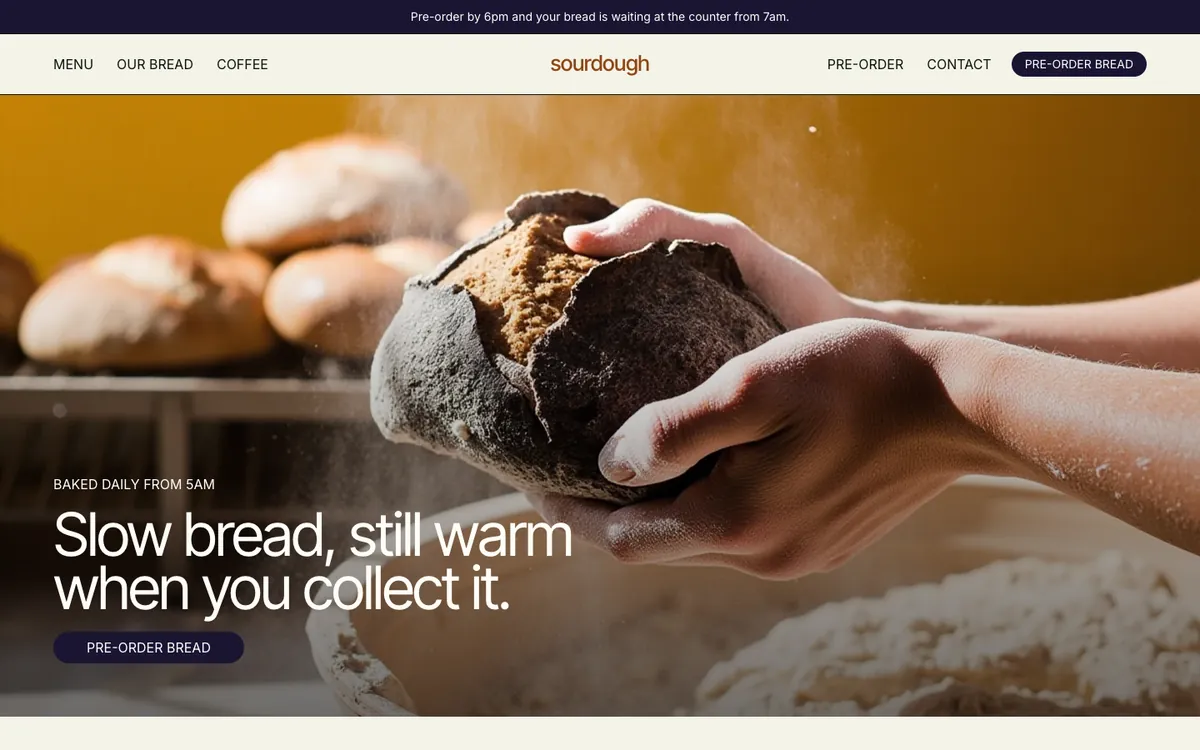
Sourdough is a sample site Briks built for an example bakery and coffee shop, not a customer. Open the sample - 03Psychology practice
Visitor numbers without a cookie banner
A psychology practice wants to know how people find it without asking every visitor about cookies. Its site counts visits without cookies from the first publish, and when Briks writes its privacy page, the page gives visitors a way to opt out.
What you get
- Code read for security before every publish
- Pasted keys cut out of messages
- Key values kept only on your published site
- Its own database and storage for each site
- Analytics without cookies
- Every version kept, with undo
- Nightly database copies on paid plans